

No Man's Sky
30%


 Add To Cart
 Add To Cart






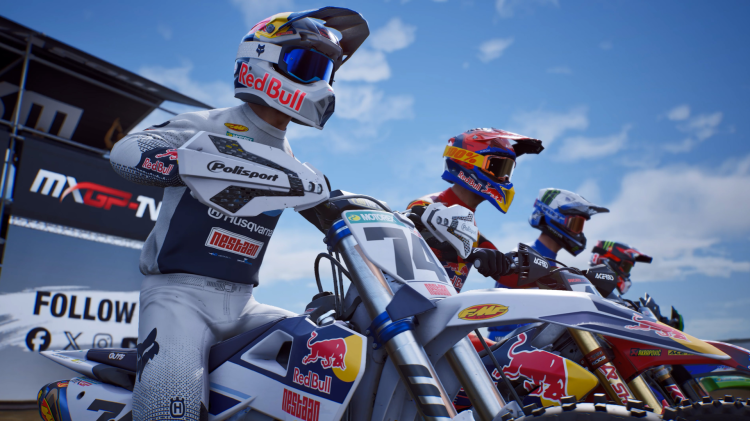
The Fox Holeshot Edition gives you access to 5 exclusive Fox liveries, as well as access to MXGP TV* (*requires creation of a MyNacon account before 31/12/2027)
AN OFFICIAL REPRESENTATION OF THE MXGP LICENSE:
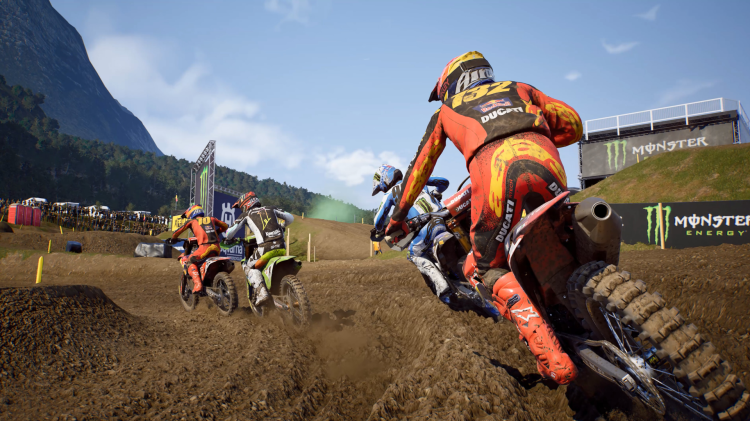
Play as your favorite riders and race on all 19 official tracks of the season in the MXGP and MX2 categories. Every turn, every jump, and every section of the track has been recreated with unparalleled fidelity to transport you to the heart of the official season.
A GRAPHICAL REVOLUTION:
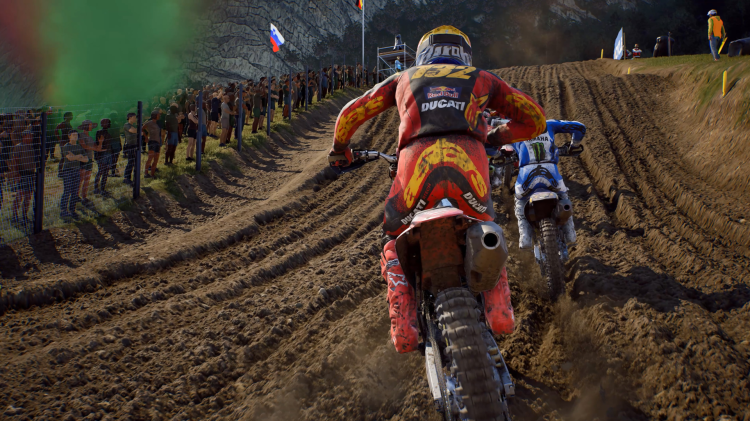
For the first time, the MXGP franchise shifts into high gear with the new Unreal Engine 5. The result? A spectacular graphical evolution that redefines the standards of the genre. The lighting, textures, and environmental details will leave you speechless. The rider animations, smoother and more natural than ever, will make you feel like you're right on the bike.
THE TRACK COMES TO LIFE: MASTER DYNAMIC DEFORMATION
This is THE game-changing new feature! For the first time, the terrain reacts to every wheel pass in real-time. Dig deep ruts, create new lines, and master them. The track is constantly evolving, which will put your talent and adaptability to the test as the impact on physics is real, and you will have to adapt to the changing trajectories.
GAME MODES TO FORGE YOUR LEGEND
Perfect your scrubs and whips freely in the Compound or chase the hot lap in Time Trial.Feeling competitive? Nail the holeshot in a Quick Race against a grid of 20 wild riders and fight to keep your position over longer or shorter heats. Live the season of your dreams and claim the red plate in Championship mode.Finally, when the gate drops in Online Multiplayer, show the world who the best rider on the planet is with a global ranking.
MXGP 26 THE OFFICIAL VIDEO GAME © 2026 published by Nacon S.A. and developed by Artefacts. All rights reserved.
The manufacturers, motorbikes, names, brands, teams, riders and associated imagery featured in this game are trademarks and/or copyrighted materials of their respective owners.
The motorbikes in the game may differ from the shape, colour and performance of the actual motorbikes. Please do not imitate the driving and vehicle movements shown in this game when riding a motorcycle in real life, and remember: always wear protection gear and ride safely.
© 2026 Infront Moto Racing Media. All Rights Reserved.
Buy MXGP 26 - Fox Holeshot Edition PC game code quickly and safely at the best prices guaranteed via the official retailer uk.etail.market
MXGP 26 THE OFFICIAL VIDEO GAME © 2026 published by Nacon S.A. and developed by Artefacts. All rights reserved.The manufacturers, motorbikes, names, brands, teams, riders and associated imagery featured in this game are trademarks and/or copyrighted materials of their respective owners.The motorbikes in the game may differ from the shape, colour and performance of the actual motorbikes. Please do not imitate the driving and vehicle movements shown in this game when riding a motorcycle in real life, and remember: always wear protection gear and ride safely.© 2026 Infront Moto Racing Media. All Rights Reserved.
1)
Download & install the Steam client on your
computer from here.
2)
Open the Steam client, register and login. Then,
locate the Games tab on the top menu. Click that and select “Activate a Product
on Steam..”

3)
Enter your code that is showed on the orders page
of eTail. Market and and follow the steps showed to activate your game.

4)
The game can be monitored now and you can see it
on the "Library" section on Steam. You can download and install the
game now.
5)
If you need more information and support, you
can click here: https://help.steampowered.com/en/wizard/HelpWithSteam
 30%
Add To Cart
30%
Add To Cart
 0%
Add To Cart
0%
Add To Cart
 11%
Add To Cart
11%
Add To Cart
 11%
Add To Cart
11%
Add To Cart
 16%
Add To Cart
16%
Add To Cart
 Add To Cart
 15%
Out of Stock
15%
Out of Stock
 32%
Add To Cart
32%
Add To Cart
 15%
Add To Cart
15%
Add To Cart
