

Jurassic World Evolution: Herbivore Dinosaur Pack
55%


 Add To Cart
 Add To Cart

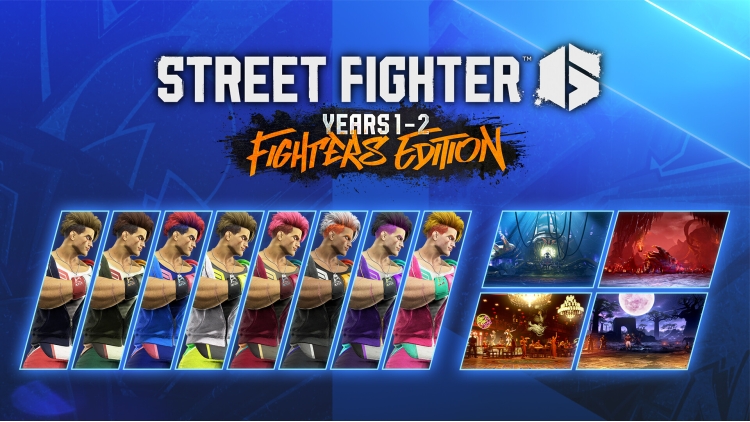
Street Fighter 6 Years 1-2 Fighters Edition:
Introducing the Fighters Edition!
Including all characters and stages from both Year 1 and 2, it's perfect for those new to the game!
Content
・Full Game
・Years 1-2 Fighters Edition Stages & Colors
┗ 4 additional stages (Ruined Lab, Enma's Hollow, Pao Pao Cafe 6, Reniala Remains)
┗ 18 launch characters' colors: Outfit 1 Colors 3-10
・Year 1 Character Pass
┗ 4 additional characters (Rashid, A.K.I., Ed, Akuma)
┗ 4 additional characters' colors: Outfit 1 Colors 3-10
┗ Bonus: 4,200 Drive Tickets
・Year 2 Character Pass
┗ 4 additional characters (M. Bison, Terry, Mai, Elena)
┗ 4 additional characters' colors: Outfit 1 Colors 3-10
┗ Bonus: 4,200 Drive Tickets
Buy Street Fighter 6 Years 1-2 Fighters Edition PC game code quickly and safely at the best prices guaranteed via the official retailer uk.etail.market
1)
Download & install the Steam client on your
computer from here.
2)
Open the Steam client, register and login. Then,
locate the Games tab on the top menu. Click that and select “Activate a Product
on Steam..”

3)
Enter your code that is showed on the orders page
of eTail. Market and and follow the steps showed to activate your game.

4)
The game can be monitored now and you can see it
on the "Library" section on Steam. You can download and install the
game now.
5)
If you need more information and support, you
can click here: https://help.steampowered.com/en/wizard/HelpWithSteam
 55%
Add To Cart
55%
Add To Cart
 91%
Add To Cart
91%
Add To Cart
 15%
Add To Cart
15%
Add To Cart
 32%
Add To Cart
32%
Add To Cart
 91%
Add To Cart
91%
Add To Cart
 90%
Add To Cart
90%
Add To Cart
 27%
Add To Cart
27%
Add To Cart
 70%
Add To Cart
70%
Add To Cart
 15%
Out of Stock
15%
Out of Stock
 0%
Add To Cart
0%
Add To Cart
